
Free Dynamic QR Code Generator: Scan Analytics, Editing & What to Look For (2026)
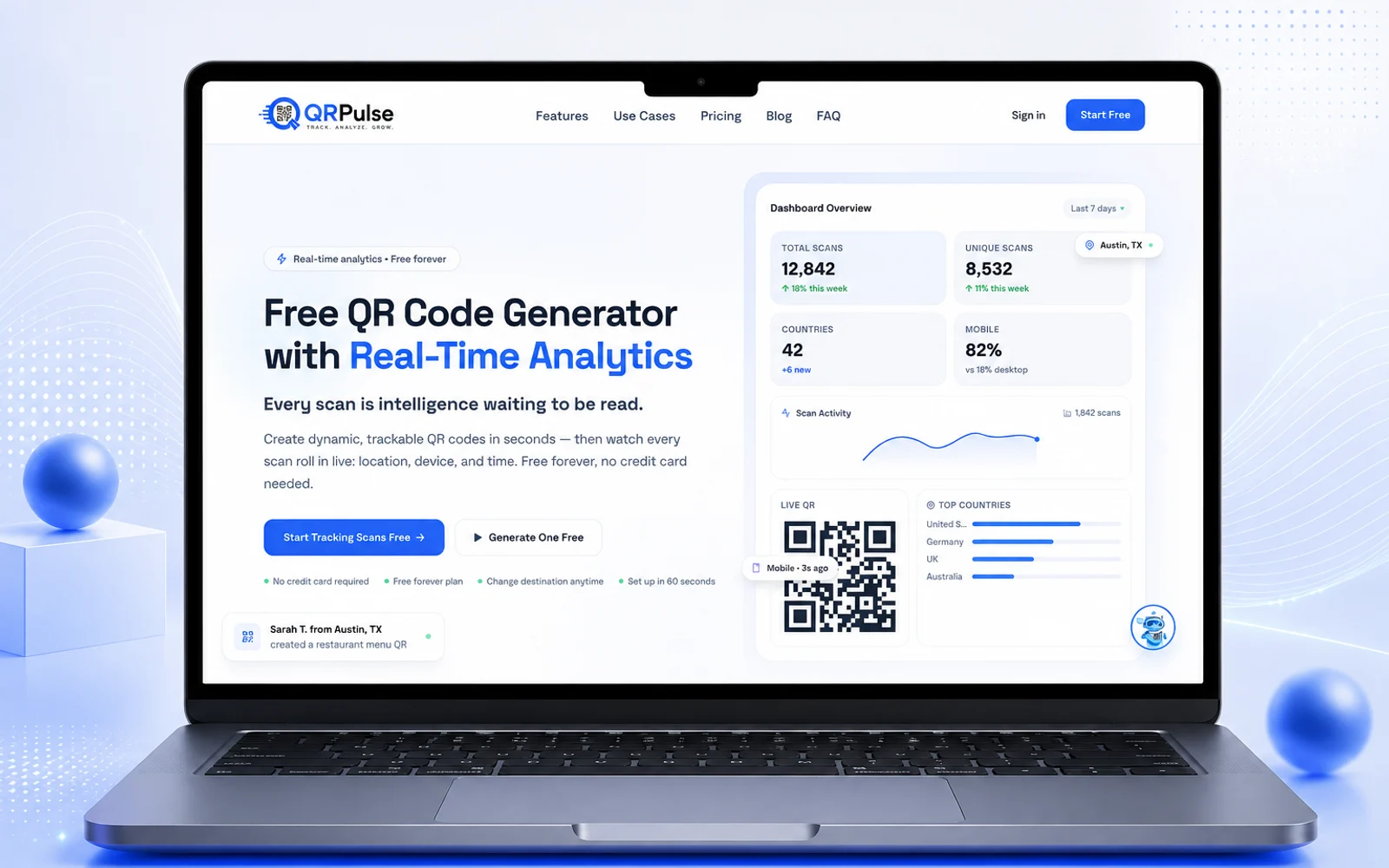
Quick Summary: A dynamic QR code encodes a short redirect link, letting you change the destination after printing and count scans by time, approximate city and country, and device. Static QR codes encode the destination directly and work forever but cannot be edited or tracked. The QR standard is ISO/IEC 18004 with four error-correction levels (L 7%, M 15%, Q 25%, H 30%) and a required 4-module quiet zone. Free dynamic plans carry dependency risks: expiry, ads, data collection and provider shutdown. QRPulse (qrpulse.co), built by CodeXcelerate Labs, is one option: free static codes with no account and dynamic codes with analytics on a free account.
Short answer: a dynamic QR code encodes a short redirect link instead of your final URL. That lets you change where the code points after it's printed, and count every scan. A static QR code encodes the destination directly, so it works forever with no service behind it, but it can't be edited or tracked. Free options exist for both. The catch with "free dynamic" is what happens to your printed codes if the provider changes its terms or disappears.
Disclosure: we built QRPulse (qrpulse.co), one of the tools mentioned below. The buying criteria in this guide apply to any tool, ours included, and we've marked where it matters.
Updated September 27, 2026.
What is a QR code and how does it store data?
A QR code (Quick Response code) is a two-dimensional barcode that stores data in a grid of black and white squares called modules. Denso Wave, a Toyota affiliate, invented it in 1994 to track automotive parts, and it is standardized as ISO/IEC 18004 (the current edition was published in 2024).
Key technical facts worth knowing:
- Structure: three large square finder patterns in the corners let a camera detect orientation and scale.
- Sizes: the standard defines 40 versions, from 21 x 21 modules (version 1) up to 177 x 177 modules (version 40). More data means a denser grid.
- Quiet zone: the standard requires a blank margin of at least 4 modules around the code. Crowding it is the most common reason printed codes fail to scan.
- Capacity: a version 40 code can hold roughly 7,000 numeric digits or about 2,900 bytes of binary data at the lowest error-correction level. In practice, a short URL keeps the pattern sparse and easier to scan.
- Error correction: Reed-Solomon coding lets a damaged code still scan. There are four levels:
| Level | Data recoverable | Good for |
|---|---|---|
| L | ~7% | Clean screens and pristine print |
| M | ~15% | Default for most everyday use |
| Q | ~25% | Codes that may get scuffed or printed on rough surfaces |
| H | ~30% | Logo overlays and harsh environments |
Higher error correction makes the pattern denser, so it needs more print size to scan reliably. It is a trade-off, not a free upgrade.
Static vs dynamic QR codes: the real difference
| Static QR code | Dynamic QR code | |
|---|---|---|
| What's encoded | The destination itself | A short redirect link on the provider's server |
| Edit after printing? | No | Yes, from the provider dashboard |
| Scan tracking? | No | Yes: time, approximate location, device |
| Depends on a service? | No. Works forever | Yes. Stops if the account lapses or the provider shuts down |
| Pattern density | Grows with URL length | Stays sparse (short link), scans more easily at small sizes |
| Best for | Wi-Fi, contact cards, fixed product manuals | Campaigns, menus, packaging, events, anything you may update or measure |
Rule of thumb: if the information will never change and you don't need data, use static. If you might update the destination or you want to measure scans, use dynamic, but only with a provider you trust to be around as long as your print run lasts.
// free · no commitment
Get a free technical audit
We'll review your project and send back honest, actionable findings. No sales pitch.
How do dynamic QR codes work?
- You create a code. The provider generates a short link such as
provider.example/abc123and encodes that in the QR pattern. - Someone scans the code. Their phone opens the short link.
- The provider's server records the scan (timestamp, approximate location from the IP address, device and browser from the request headers).
- The server immediately redirects the phone to your real destination.
The redirect is why editing works: you change where abc123 points, and every printed copy follows. It is also why dynamic codes create a dependency: the printed pattern contains the provider's address, not yours.
What can scan analytics tell you, and what can't they?
What you can reliably learn:
- Total scans and scan trends over time
- Time of day and day of week patterns
- Device type, operating system and browser
- Approximate city and country
What you can't:
- Who scanned. Analytics are aggregate. They do not identify individuals.
- Exact location. Location comes from the IP address, not GPS. It is city-level at best and can be off on mobile networks or VPNs.
- Unique people. One person scanning three times counts three times, and link previews or security scanners can register as scans.
- What happened next. A scan is not a sale.
The fix for that last gap: add UTM parameters to the destination URL, for example ?utm_source=flyer&utm_medium=qr&utm_campaign=autumn-menu. Your web analytics (GA4 or similar) then shows which printed placement produced visits, sign-ups or purchases, not just scans.
What to look for in a free dynamic QR code generator
Use this checklist on any tool before you print at scale:
| Check | Why it matters | Red flag |
|---|---|---|
| Codes don't expire | A dead code on 5,000 printed boxes is expensive | Trial-only dynamic codes that deactivate |
| Editing is included | Editing is the entire point of dynamic | Destination edits locked behind a paywall |
| Scan analytics included | Otherwise a static code would do | Analytics available only after upgrading |
| Vector export (SVG/EPS) and high-res PNG | Large-format print needs vector quality | PNG only, low resolution |
| No watermark, no forced ads | Scanners should reach your page directly | Interstitial ad pages before the redirect |
| HTTPS redirects | Security and scanner trust | HTTP-only short links |
| Privacy policy for scan data | You are responsible for what you tell your audience | No policy, or vague third-party sharing |
| Data export | Lets you keep your history | Analytics locked inside the dashboard |
| Custom domain option | Lets you own the redirect address | No path to control the short link |
| Clear free-tier limits | Avoids surprises mid-campaign | Limits hidden or changing without notice |
The risk nobody mentions: free dynamic codes create a dependency
Because the printed pattern contains the provider's short link, you cannot move a dynamic code to another provider. If the service shuts down, changes its pricing or suspends your account, every printed code stops working, and you cannot reprint what is already on shelves, menus and packaging.
How to manage that risk:
- Use static codes for anything permanent. Wi-Fi details, fixed contact info and product manuals don't need a redirect.
- Prefer a provider that supports a custom domain. Then the short link is yours and can be re-pointed to a new provider.
- Read what happens on cancellation. Some tools deactivate codes; others keep them running.
- Match print volume to trust. Testing a flyer batch on a new free tool is fine. Printing 50,000 packages is a decision to make on a provider with a track record and clear terms.
- Keep a register of every dynamic code, where it is printed and where it points.
Free QR code generators: how the options differ
Free-tier limits change often, so verify current terms before you commit. This is a snapshot of how the main options position themselves as of September 2026:
| Tool | Positioning |
|---|---|
| QRCode Monkey | Unlimited free, custom-designed static codes |
| Canva / Adobe Express | QR codes generated inside a design workflow, suited to one-off branded assets |
| Hovercode | Unlimited static codes plus 3 free dynamic codes that it states never expire |
| Bitly | Established link-management platform with QR codes and tracking tied to its links; check free-tier limits |
| QRPulse (ours) | Free static codes with no account; dynamic codes with scan analytics on a free account; built-in AI help assistant |
If you only need a one-off static code, almost any of these works. If you need dynamic codes and analytics at no cost, apply the checklist above, because that is where free tools differ most.
How to design a QR code that scans reliably
Most failed QR campaigns fail on print and placement, not on the code.
- Keep the quiet zone. Leave at least 4 modules of blank space on every side.
- Use strong contrast. Dark code on a light background. Avoid inverted (light-on-dark) and low-contrast color pairs, which many scanners handle poorly.
- Size it for distance. A common rule of thumb is at least 2 x 2 cm (about 0.8 x 0.8 in) for close-range print, and roughly 1 cm of code width per 10 cm of scanning distance. A poster scanned from 2 metres needs a code around 20 cm wide.
- Choose error correction on purpose. Level M by default; Q or H for rough surfaces or a logo overlay, and print it larger to compensate.
- Keep the URL short. A shorter payload means a sparser pattern that scans faster at small sizes. This is a built-in advantage of dynamic codes.
- Export vector for large print. Use SVG or EPS for signage, packaging and billboards.
- Add a call to action. "Scan for the menu" outperforms a bare code because people know why they should scan.
- Test before you print. Scan the actual proof with an iPhone and an Android phone, in real lighting, from realistic distance.
QR code security: quishing and how to avoid it
"Quishing" is phishing delivered through a QR code. Because people can't read a QR code's destination, attackers stick fraudulent codes over legitimate ones or send them in emails.
If you scan codes: check the URL preview your phone shows before opening it, be wary of codes on stickers placed over other printing, and never enter credentials or payment details on a page you reached from an unexpected code.
If you publish codes:
- Use HTTPS destinations only.
- Use a branded or custom short domain so the preview looks recognizable.
- Print codes on materials that show tampering, or check placed codes periodically.
- Secure your generator account with a strong password and two-factor authentication. A compromised dynamic-code account lets an attacker redirect every code you have ever printed.
How to create a free dynamic QR code (step by step)
Using QRPulse as the example, the flow is similar on most tools:
- Open qrpulse.co. For a static code, paste your URL, text, email, phone number or Wi-Fi details, generate and download. No account is needed.
- For a dynamic code, create a free account and choose New Dynamic Code.
- Enter the destination URL, ideally with UTM parameters so your analytics can attribute visits.
- Download the code as SVG or PNG.
- Print it with a call to action, test it on two phones, then track scans and edit the destination from the dashboard whenever you need to.
Where dynamic QR codes earn their keep
Restaurant menus. Print table tents once and update the menu URL when dishes or prices change. Compare scan counts by table area or day to see when people actually use the digital menu.
Retail and Shopify packaging. Put a code on packaging inserts and thank-you cards. Redirect it to a sale page during promotions, and use UTM parameters to learn which insert type drives repeat visits.
Events and check-ins. Use one code for registration before the event and repoint the same printed code to a feedback survey afterwards. Scan-time data shows arrival peaks.
Print campaigns and flyers. Print different codes per placement, such as a bus shelter, a magazine ad and a café flyer, and compare scans by city and time to see which channel works.
Real estate signs. Link the sign to the live listing, then to similar properties once it sells, so a printed sign never dead-ends.
Business cards. Point the code at a page you control and update your booking link or portfolio without reprinting cards.
About QRPulse
QRPulse is an in-house product from CodeXcelerate Labs, the same team behind our client work on mobile apps, web platforms and AI agents. It is built with Next.js, React, Node.js and Vercel, and includes QRBot, an AI help assistant built on the Claude API that answers setup and analytics questions.
We built it because clients kept asking us which QR tool to use and ran into paywalls before seeing any scan data. Read the engineering story, stack and outcomes in the QRPulse case study.
Frequently Asked Questions
What is a free dynamic QR code generator? A free dynamic QR code generator creates QR codes that encode a short redirect link instead of your final URL. Because the redirect is controlled by the provider, you can change the destination after the code is printed and the provider can count each scan. The main things to check on any free plan are whether the codes expire, whether editing and analytics are included, and what happens to your printed codes if you leave the service.
What is the difference between static and dynamic QR codes? A static QR code encodes the destination directly in its pattern. It cannot be edited or tracked, but it works forever with no service behind it. A dynamic QR code encodes a short redirect link, so the destination can be changed at any time and each scan can be logged. Use static for permanent information such as Wi-Fi credentials or a fixed contact card, and dynamic for campaigns, menus, packaging and anything you may need to update or measure.
Can I edit a QR code after printing it? Only if it is a dynamic QR code. The printed pattern never changes, but the redirect it points to can be updated from your provider dashboard, so a fixed flyer or menu can send people to a new page. A static QR code cannot be edited after creation because the destination is part of the pattern itself.
Do dynamic QR codes expire? It depends on the provider. Because a dynamic code relies on the provider's redirect server, it stops working if the account lapses, a trial ends or the service shuts down. Before printing at scale, check the provider's terms for what happens to codes on the free plan, whether a custom domain is supported, and whether you can export your scan data.
Are free dynamic QR code generators safe? Reputable ones can be, but a free dynamic code adds a third party between the scanner and your page. Risks include data collection you did not expect, interstitial ads, broken or expired codes and redirect abuse if an account is compromised. Look for HTTPS redirects, a clear privacy policy, no forced ads and account security such as two-factor authentication. For anything permanent, a static code avoids the dependency entirely.
What can QR code scan analytics track? Dynamic QR code analytics typically record total scans, scan time and date, approximate location (city and country, derived from the IP address), device type, operating system and browser. They cannot identify individual people, and totals can be inflated by repeat scans, link previews and security scanners. Add UTM parameters to the destination URL and view results in your web analytics to see what scanners did after arriving.
Can a QR code track exact location? No. Dynamic QR analytics infer location from the scanner's IP address, which usually gives city-level accuracy at best and can be wrong on mobile networks or VPNs. They do not use the phone's GPS. Treat location data as a directional signal, for example which city responded most to a campaign, rather than a precise position.
What size should a printed QR code be? A common rule of thumb is at least 2 x 2 cm (about 0.8 x 0.8 in) for close-range print such as business cards, and roughly 1 cm of code width for every 10 cm of scanning distance. Always leave a quiet zone (blank margin) of at least 4 modules around the code, keep strong dark-on-light contrast, and test on both iPhone and Android before a full print run.
Which QR code error correction level should I use? The QR standard (ISO/IEC 18004) defines four levels: L recovers about 7% of damaged data, M about 15%, Q about 25% and H about 30%. Level M is a sensible default for most uses. Choose Q or H for codes that will be scuffed, printed on rough surfaces or overlaid with a logo, keeping in mind that higher levels make the pattern denser and need more print size to scan reliably.
How do I create a QR code for a restaurant menu? Host your menu at a stable URL (a menu page or PDF), create a dynamic QR code pointing to it, download the code as SVG or high-resolution PNG and print it on table tents or stickers with a short call to action such as Scan for menu. When the menu changes, update the destination in your dashboard instead of reprinting. Test the printed code on several phones first.
How do I create a QR code for a Shopify store or Google Form? Paste the store, product or form URL into a generator. Use a static code if the link will never change, or a dynamic code if you may redirect it later, for example to a sale page or a post-event survey. Add UTM parameters to the URL so your analytics show which printed placement, such as a packaging insert or event poster, drove the visits.
Is QRPulse free? QRPulse (qrpulse.co), built by CodeXcelerate Labs, offers free static QR code generation without an account, and dynamic codes with scan analytics on a free account. Plans and limits can change, so confirm the current terms on the QRPulse site. Disclosure: CodeXcelerate builds and operates QRPulse.
Need a QR code today? Generate one at QRPulse, or use the checklist above to evaluate any other tool before you print.
// free · no commitment
Get a free technical audit
We'll review your project and send back honest, actionable findings. No sales pitch.


